TestPmd
DPDK Tools
sudo apt install dpdk
dpdk-devbind.py -s
Install DPDK LTS
http://fast.dpdk.org/rel/dpdk-19.11.2.tar.xz
 // or any other LTS release (say                                              dpdk-stable-18.11.8)

tar xvf dpdk-19.11.2.tar.xz
Install make and other package
sudo apt install make
sudo apt install gcc
sudo apt-get install libnuma-dev  (numa.h)
sudo apt-get install libpcap0.8-dev  (pcap.h, useful sometimes)
Build TestPmd
sudo bash
cd <>/dpdk-stable-19.11.2/usertools
export DESTDIR=<>/dpdk-stable-19.11.2

#Add mellanox NIC support
vi <>/dpdk-stable-19.11.2/config/"common_base"
//Use PMD for Intel NIC x710
//for Mellanox
CONFIG_RTE_LIBRTE_MLX5_PMD=y
# CONFIG_RTE_LIBRTE_MLX5_DEBUG=y (////may not be required)
"CONFIG_RTE_TEST_PMD_RECORD_CORE_CYCLES=y"
"CONFIG_RTE_MAX_LCORE=256"
"CONFIG_RTE_MAX_NUMA_NODES=32"

#build (from <>/dpdk-<>/usertools)
./dpdk-setup.sh
1. x86_64-native-linuxapp-gcc
2. Setup hugepage mappings for NUMA systems

 2 MB pages
Number of pages for node0: 512
Number of pages for node1: 512
Sample build options
<>/dpdk-stable-18.11.8/usertools$ sudo ./dpdk-setup.sh
------------------------------------------------------------------------------
 RTE_SDK exported as /home/ubuntu/ns/dpdk-stable-18.11.8
------------------------------------------------------------------------------
----------------------------------------------------------
 Step 1: Select the DPDK environment to build
----------------------------------------------------------
[1] arm64-armv8a-linuxapp-clang
[2] arm64-armv8a-linuxapp-gcc
[3] arm64-dpaa2-linuxapp-gcc
[4] arm64-dpaa-linuxapp-gcc
[5] arm64-stingray-linuxapp-gcc
[6] arm64-thunderx-linuxapp-gcc
[7] arm64-xgene1-linuxapp-gcc
[8] arm-armv7a-linuxapp-gcc
[9] i686-native-linuxapp-gcc
[10] i686-native-linuxapp-icc
[11] ppc_64-power8-linuxapp-gcc
[12] x86_64-native-bsdapp-clang
[13] x86_64-native-bsdapp-gcc
[14] x86_64-native-linuxapp-clang
[15] x86_64-native-linuxapp-gcc
[16] x86_64-native-linuxapp-icc
[17] x86_x32-native-linuxapp-gcc

----------------------------------------------------------
 Step 2: Setup linuxapp environment
----------------------------------------------------------
[18] Insert IGB UIO module
[19] Insert VFIO module
[20] Insert KNI module
[21] Setup hugepage mappings for non-NUMA systems
[22] Setup hugepage mappings for NUMA systems
[23] Display current Ethernet/Crypto device settings
[24] Bind Ethernet/Crypto device to IGB UIO module
[25] Bind Ethernet/Crypto device to VFIO module
[26] Setup VFIO permissions

----------------------------------------------------------
 Step 3: Run test application for linuxapp environment
----------------------------------------------------------
[27] Run test application ($RTE_TARGET/app/test)
[28] Run testpmd application in interactive mode ($RTE_TARGET/app/testpmd)

----------------------------------------------------------
 Step 4: Other tools
----------------------------------------------------------
[29] List hugepage info from /proc/meminfo

----------------------------------------------------------
 Step 5: Uninstall and system cleanup
----------------------------------------------------------
[30] Unbind devices from IGB UIO or VFIO driver
[31] Remove IGB UIO module
[32] Remove VFIO module
[33] Remove KNI module
[34] Remove hugepage mappings

[35] Exit Script

Option:

==============
>>>> first 15, then 18, then 21/22 then 24, then 28
=============
Test application path
<>/dpdk-stable-19.11.2/x86_64-native-linuxapp-gcc
/app
Hugepage Config in Ubuntu
"/etc/default/grub"
GRUB_CMDLINE_LINUX_DEFAULT="quiet splash default_hugepagesz=1G hugepagesz=1G hugepages=140 transparent_hugepage=never"

sudo update-grub

reboot
>>>>>>
HugePages_Total:     140
HugePages_Free:      140
HugePages_Rsvd:        0
HugePages_Surp:        0
Hugepagesize:    1048576 kB
Running TestPMD
Reference
- https://doc.dpdk.org/guides/testpmd_app_ug/testpmd_funcs.html
- https://doc.dpdk.org/guides/testpmd_app_ug/run_app.html
Command line
Option 1
<>/dpdk-stable-19.11.2/x86_64-native-linuxapp-gcc/build/app/test-pmd$ sudo ./testpmd -l0,2,4,6,8,10,12,14,16,18 -n6  -- -i --rxd=512 --txd=512 --txfreet=32 --rxq=1 --txq=1 --nb-cores=8 --numa

#command
start
set portmask 0x09  (to use 2 ports for a channel) #use port mask
show port stats all
stop
Option 2
testpmd -l "$(</sys/devices/system/node/node0/cpulist)" -n6 -w 0000:3b:00.0 -w 0000:5e:00.1 -- -i --rxd=4096 --txd=2048 --rxq=16 --txq=16 --nb-cores=32 --numa --disable-crc-strip --forward-mode=io -aTestPMD Commandline options
Usage: ./testpmd [options]

EAL common options:
  -c COREMASK         Hexadecimal bitmask of cores to run on
  -l CORELIST         List of cores to run on
                      The argument format is <c1>[-c2][,c3[-c4],...]
                      where c1, c2, etc are core indexes between 0 and 256
  --lcores COREMAP    Map lcore set to physical cpu set
                      The argument format is
                            '<lcores[@cpus]>[<,lcores[@cpus]>...]'
                      lcores and cpus list are grouped by '(' and ')'
                      Within the group, '-' is used for range separator,
                      ',' is used for single number separator.
                      '( )' can be omitted for single element group,
                      '@' can be omitted if cpus and lcores have the same value
  -s SERVICE COREMASK Hexadecimal bitmask of cores to be used as service cores
  --master-lcore ID   Core ID that is used as master
  --mbuf-pool-ops-name Pool ops name for mbuf to use
  -n CHANNELS         Number of memory channels
  -m MB               Memory to allocate (see also --socket-mem)
  -r RANKS            Force number of memory ranks (don't detect)
  -b, --pci-blacklist Add a PCI device in black list.
                      Prevent EAL from using this PCI device. The argument
                      format is <domain:bus:devid.func>.
  -w, --pci-whitelist Add a PCI device in white list.
                      Only use the specified PCI devices. The argument format
                      is <[domain:]bus:devid.func>. This option can be present
                      several times (once per device).
                      [NOTE: PCI whitelist cannot be used with -b option]
  --vdev              Add a virtual device.
                      The argument format is <driver><id>[,key=val,...]
                      (ex: --vdev=net_pcap0,iface=eth2).
  --iova-mode   Set IOVA mode. 'pa' for IOVA_PA
                      'va' for IOVA_VA
  -d LIB.so|DIR       Add a driver or driver directory
                      (can be used multiple times)
  --vmware-tsc-map    Use VMware TSC map instead of native RDTSC
  --proc-type         Type of this process (primary|secondary|auto)
  --syslog            Set syslog facility
  --log-level=<int>   Set global log level
  --log-level=<type-match>:<int>
                      Set specific log level
  -v                  Display version information on startup
  -h, --help          This help
  --in-memory   Operate entirely in memory. This will
                      disable secondary process support
  --base-virtaddr     Base virtual address

EAL options for DEBUG use only:
  --huge-unlink       Unlink hugepage files after init
  --no-huge           Use malloc instead of hugetlbfs
  --no-pci            Disable PCI
  --no-hpet           Disable HPET
  --no-shconf         No shared config (mmap'd files)

EAL Linux options:
  --socket-mem        Memory to allocate on sockets (comma separated values)
  --socket-limit      Limit memory allocation on sockets (comma separated values)
  --huge-dir          Directory where hugetlbfs is mounted
  --file-prefix       Prefix for hugepage filenames
  --create-uio-dev    Create /dev/uioX (usually done by hotplug)
  --vfio-intr         Interrupt mode for VFIO (legacy|msi|msix)
  --legacy-mem        Legacy memory mode (no dynamic allocation, contiguous segments)
  --single-file-segments Put all hugepage memory in single files
  --match-allocations Free hugepages exactly as allocated
DPDK based ideas
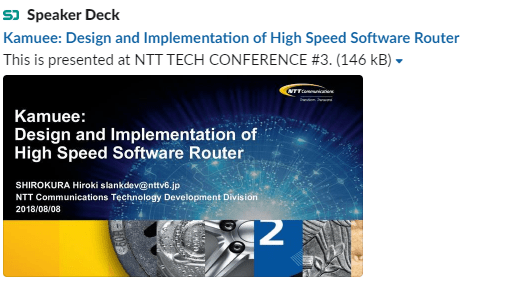
High speed software router:
https://speakerdeck.com/slankdev/kamuee-design-and-implementation-of-high-speed-software-router

 SciTech News